To celebrate the 20th anniversary of Steve’s commencement address at Stanford, we are sharing a newly enhanced version of the video below and on YouTube. It is one of the most influential commencement addresses in history, watched over 120 million times, and reproduced in media and school curricula around the world. The talk even helped inspire an unlikely NBA title comeback for the Cleveland Cavaliers when LeBron James played a clip from it in the locker room before a critical game three against the Golden State Warriors in 2016.
I have linked to and cited this speech many times over the years but wanted to post it, yet again.
As AI continues to evolve, we’ll see more roles shift from technical execution to strategic judgement. The most valuable professionals will be those who can:
Ask the right questions Frame problems effectively Make sound decisions Provide meaningful direction to AI tools
I now circle back to my main point: I have never seen any form of create generative model output (be that image, text, audio, or video) which I would rather see than the original prompt. The resulting output has less substance than the prompt and lacks any human vision in its creation
I worked in the Writing Center in college, and whenever a student came in with an essay, we were supposed to make sure it had two things: an argument (“thesis”) and a reason to make that argument (“motive”). Everybody understood what a “thesis” is, whether or not they actually had one. But nobody understood “motive”. If I asked a student why they wrote the essay in front of them, they’d look at me funny. “Because I had to,” they’d say.
Most writing is bad because it’s missing a motive. It feels dead because it hasn’t found its reason to live. You can’t accomplish a goal without having one in the first place—writing without a motive is like declaring war on no one in particular.
I’ve made a career being a human terrified by becoming irrelevant long before AI showed up to drive my car. You bet I am poking every bit of AI that I can. Daily. I am trying to figure out what it can and can’t do, and this article aside, I am optimistic, just like I’ve been for the last three decades, that revolutionary innovations will knock your socks off in the next few years. It’s still early days for AI. Really.
However, I am deeply suspicious of AI, especially after watching decades of social networks monetize our attention while teaching us to ignore facts and truth, minimizing our desire to understand. Many humans don’t check their facts; they believe what they read in the feed. Most humans believe the manufactured reality is designed to get them to believe someone else’s agenda. The convenience of these services and tools has made us lazy and, worse, not curious.
When citizens must think twice about criticizing or opposing the government because they could credibly face government retribution, they no longer live in a full democracy.
By that measure, America has crossed the line into competitive authoritarianism. The Trump administration’s weaponization of government agencies and flurry of punitive actions against critics has raised the cost of opposition for a wide range of Americans.
Anxiety, I’ve come to realize, is a very expensive habit. It has cost me so much. A lot of misery, a lot of frustration, countless hours of sleep. It’s caused me to miss out on a lot of things that are important to me. How many family dinners have I ruined by letting my mind wander to what could go wrong? How many minutes of vacations have I missed out on because I was preoccupied, lost in spirals about things that hadn’t happened? How many opportunities have I passed up because I was too caught up in my own fears? How many nights did I waste lying awake at night, worrying about what might or might not happen?
The sun is out today; I can smell the freshly cut grass.
This weather, this smell, it brings back a shockingly vivid memory for me. It would have to be around 1993. I’m ten years old. I am probably in either fifth or sixth grade. Every day after school I’d sprint home from the bus stop. I’d bound down the steps, feel my feet hit the pavement, and like a bolt of blond lightning I’d take off. Feet moving as fast as they could. It’s the age where you feel like you can fly. Curbs are launching pads. Fresh grass a safe landing spot. Your neighborhood your world.
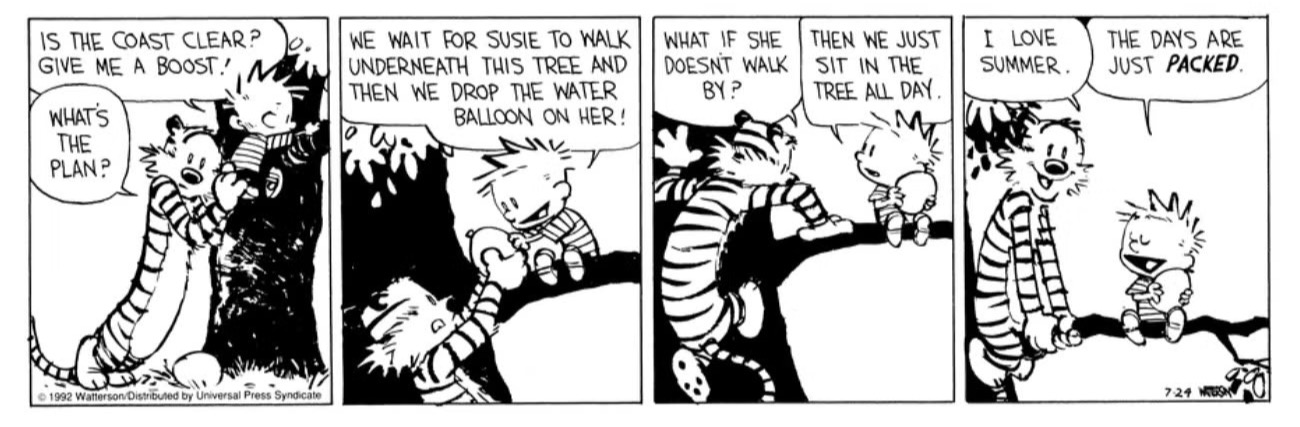
I’d get home and rush downstairs to my bedroom. Dive onto the bed, and pull out my copy of Calvin and Hobbes’ The Days Are Just Packed and lay there on my stomach reading the comics and eating Red Vines from a giant Costco sized tub.
Along with Quicklinks and Fallbacks, another thing I love about Raycast is the great integration with Shortcuts. You can run any Shortcut directly from Raycast (and assign it a trigger keyword and/or keyboard shortcut directly), and if the Shortcut is configured to ask for input, it’ll do that right in Raycast. I use this for all sorts of things, but one of the most used is a very basic Message shortcut I built to text Hannah. By typing ‘m’ in Raycast, I get a simple interface:
Then I hit Tab and type my message. Hit enter. Message gets automatically sent to Hannah. I use this dozens of times throughout the day to quickly send a message without ever needing to open the Messages app.
The Shortcut itself is dead simple:
It just takes the input and sends it using the default Send Message action.
The combination of Shortcuts + Raycast can create an endless stream of simple little tricks like this. Another I use regularly appends text to a Ulysses note called “Liner Notes Ideas.”1 When I have an idea for an upcoming newsletter, I simply type ‘ln,’ followed by my thought, and hit enter. The note is added in the background without needing to open my notes app.
Speaking of which: I ran out of time to finish the newsletter today, I’ll have to try and wrap it up tomorrow.↩
Fun fact: there’s no rule that says you can’t create a new blog today and backfill (and backdate) it with your writing from other platforms or sources, even going back many years.
At some point, every creator hits a wall – it’s not burnout exactly. It’s misalignment. You find yourself fluent in a language you no longer believe in, you know how to hack the algorithm, when to post, what to say, how to craft the dopamine-hooked headline. You’ve learned to manufacture the kind of work that gets rewarded, but somewhere in the process you forget why you started making it at all.
The economy of attention doesn’t ask what you think; it asks how fast you can say it, how loud, and how often. And if you play long enough, you stop making anything for the people you care about and you start making it for the feed. The result is a race to the bottom with a leaderboard, a machine that needs to be fed even if it’s chewing up your integrity.
Preach.
The other byproduct of having been in that “game,” is you start seeing it everywhere. Numbers will go up, numbers will go down. Authenticity is the only thing that will last.
As a follow up to my Raycast post, I wanted to mention that the URL scheme that opens and pre-populates ChatGPT on the Mac, also works on iOS. I use this in Drafts to send the post directly to the ChatGPT app:
I’ve written quite a bit about Raycast in the past. However, I don’t know if I’ve written very much about how I use it, or why I find it so useful. One of my favorite features is basic fallbacks and quicklinks. Fallbacks are what display after you’ve typed a few words and Raycast doesn’t find what you’re looking for (after searching for apps, etc.). This is how I use the app to search everywhere else. Here’s my current setup:
The first fallback is just a basic Google search. This is the default way I search Google. And since I use xSearch in Safari this becomes a super powerful way to search a bunch of different websites with ease. I can type “ch blink-182” and it’ll search Chorus automatically for me. Or “az Mark Hoppus book” to search Amazon. Or any of the websites I have setup in xSearch:
I also have a fallback to directly run the search in Google Chrome instead of my default browser, Safari. There’s also a file fallback so if I am looking for a specific file and I didn’t launch the file searcher with a keyboard shortcut I have quick access to it. There’s some other handy fallbacks as well, like the dictionary, translator, and bookmark search. But the other fallback I’ve found myself using quite a bit, and one of the other awesome features of Raycast, is the quicklink feature. Quickinks let you open files, URLs, or paths instantly. I have one set to “drop” to open my Dropbox folder. I have “app” to quickly open the Applications folder. And quite a few others:
The Ask ChatGPT one is a recent addition. Raycast has basic AI features built into the app and their pro features let you expand to other models. For basic questions using the built in features is nice. Hit Command-Space and type a quick question, hit Tab, and get a basic AI reply. Simple. I have their AI chat “window” mapped to Option-Command-Space for longer chats or when I want to type a longer prompt. I don’t pay for the pro version of Raycast’s AI feature set for a few reasons. First, because during my testing I was getting worse, and slower, responses using the same models on their default apps or websites. Second, I like having my chat history with me on mobile and Raycast doesn’t have a mobile app. So, instead, I use ChatGPT’s service. They have a nice and capable Mac App. It even has a built-in keyboard shortcut feature where you can pop open a little window to ask it questions. However, I don’t really want to run the ChatGPT app all the time. It’s, currently, not an app I have in my Dock or running throughout the day. Raycast’s basic AI handles those queries for me. But there are often times when I do want to send a question directly to ChatGPT. If I want to quickly launch the app I can use my hyperkey for it (which Raycast now also supports), but the quicklink fallback lets me just start typing when I have a question and then decide where I want to send it (Google, quick AI, or directly to ChatGPT). And you can map quicklinks to keyboard shortcuts themselves. So, if I use Option-Space I get my custom ChatGPT quicklink query:
Type the question, hit enter, and it gets automatically populated in the ChatGPT desktop app. The mechanics of this are simple:
This just fits how my brain works. I like to have one app as the central “control” for doing a whole bunch of things on my computer. This then just becomes muscle memory for me to do things quickly with the keyboard. From quick file searches, to adding events to my calendar, to adding a quick note in Drafts, to adding a reminder to pre-heat the oven for dinner, to running more complicated searches, all the way to using various AI tools. At this point Raycast has also become my emoji picker, clipboard manager, TextExpander, quick gif search, and color picker.
I’ve liked other launchers in the past. Alfred was my favorite for a long time. But I haven’t loved one to the degree that Raycast has cemented itself into my every day workflow like this. I think it is now to the point where sitting down at a computer without it would feel broken. Rarified air.
I hadn’t seen this before. Well articulated struggle with problematic art and growing up. I once commented that it’s a painful rite of passage into adulthood for your childhood faves to break your heart.